Performance Trends, Inc.
Producing Quality Computer Tools for Racers and Engine Builders since 1986
Cam Analyzer v4.3 for Windows XP, Vista, Win 7, Win 8, Win 10, Win 11
If you're a racer, race enthusiast, or engine builder with
engineering talent,  for info on joining our team.
Computer Program to Measure Cam Profiles (camshaft profiles) by Hand, or Analyze (graph and report) Several Various Computerized Cam File Formats like Cam Dr tm, Cam Pro Plus tm, .csv, .p, .svl, etc.
 to view PDF file of user manual supplement of Version 4.3 Bs new features with Adobe Acrobat.
to view PDF file of user manual supplement of Version 4.3 As new features with Adobe Acrobat.
for info on our latest Std and Plus version software, which supports our Electronic
Cam Test Stand.
Overview:
The original Cam Analyzer from 1992 started as a program to record and analyze cam lift data from dial indicator and degree wheel measurements. Once this data is in the computer, you can check the Cam Profile for acceleration rates, lobe centers, Duration at .050", etc. Now you can see if the cam you just installed matches the cam grinder's specs.
Now it is a complete cam analysis package. It comes in 5 versions:
- Cam Analyzer v4.3 (basic)
- Cam Analyzer v4.3 Plus
- Cam Analyzer v4.3 (basic) for the Cam Test Stand Electronics
- Cam Analyzer v4.3 Plus for the Cam Test Stand Electronics
- Cam Analyzer v4.3 Cam Grinder for the Cam Test Stand Electronics
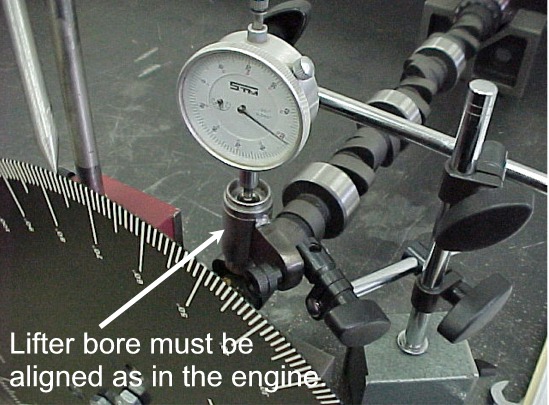
The basic Cam Analyzer with hand measurements lets you perform most of the same analysis as the more expensive systems for a small fraction of the cost. Some user's build their own fixtures for measuring cams on the bench. Click here to see photograph below.
The Cam Analyzer v4.3 also makes Cam Dr (tm), Comp Cams format (tm), and S96 files which can be used in our Engine Analyzer 'Pro' for detailed engine performance and valve train dynamics simulations based on your cam's actual profile. In addition, v4.3 lets you input and analyze computerized cam files for comparison [Cam Dr(tm), Cam Pro Plus (tm), S-96 (tm), Andrews (tm), Comp Cams(tm), Dr Doctor (tm), SVL (tm), .p files], or generate cam files based on simple specs like centerline, duration, tappet lift, etc.
The Plus version adds significantly to the types of analysis you can do.
for some details.
The Cam Grinder version adds to the Plus versions analysis.
for some details.

Options:
The basic program has several options, including:
-
Include your company logo (JPG, BMP, GIF) on printouts of graphs and reports (new for v3.8).
-
User friendly, Windows interface, compatible with Windows XP through Windows 10.
-
EZ Start Wizard gets you going quickly and accurately (new for v3.8).
-
Can print results using most any Windows compatible printer, black and white or in color.
-
Reads cam files from several other cam programs, like Cam Dr (tm), Cam Pro Plus (tm), Doctor Dr (tm), etc. This one program can let you compare cam data from several sources.
-
EZ Data Entry screen which anticipates the next cam lift, to allow you to manually enter a complete Cam Profile in just a few minutes.
-
Generate complete Cam Profiles from simple inputs like duration at .050" lift, centerline and maximum tappet lift.
-
Save nearly unlimited number of cams for recall, comparison and analysis in the future.
-
Find TDC following a step-by-step procedure. This procedure's results can be printed separately as a data sheet, very handy for engine builders.
-
Allows several reporting and graphing options for analysis.
-
Ability to write ASCII files for importing data into other computer programs. (This is in addition to the specialized Cam Dr file format.)
-
"History Log", keeps a running log of cams you have recently started new, run, graphed or reported.
-
Graph features to advance or retard lobes individually or Intake and Exhaust together.
-
Several edit options for copying data to and from spreadsheets, increasing or decreasing lift by a factor, advancing or retarding data, shifting the lobe separation, copying from one lobe to another, switch from Millimeters to Inches, and more. See "Edit Options" below.
-
One step backup and restore feature (new for v3.8).
-
Options for emailing results, graphs, and files to others (new for v3.8).
-
Graphs can include up to 72 graph lines from various data types, cam lobes and tests (new for v3.8).
-
You can save a particular graph format for reproducing it again (new for v3.8).
-
Import certain types of computer files for just 1 lobe, letting you combine lobes from different sources into 1 Cam Analyzer file (new for v4.0)
-
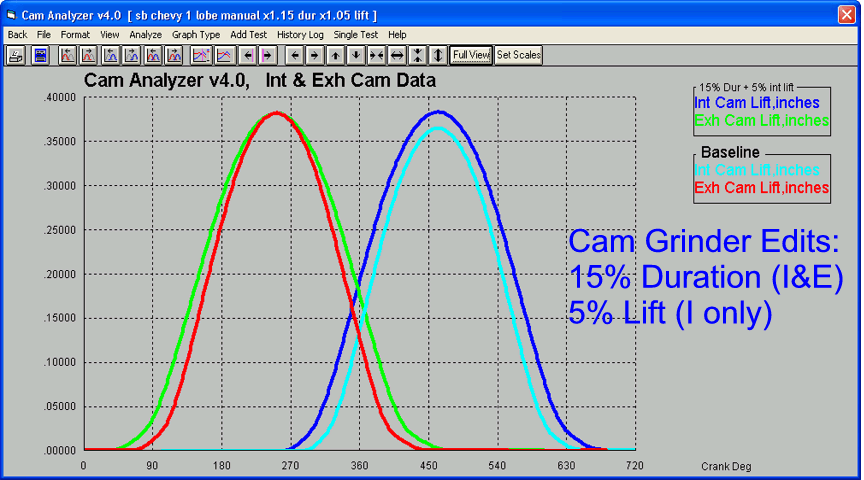
Edit Options and graphs showing changing Duration (available in Cam Grinder version only), Lift and Timing (cam advance/retard)
-
You can now flip the drawing of the camshaft on the main screen to now match how you have the cam on the Cam Test Stand. This makes it easier to keep track of what lobe you are measuring. (v4.3B)
-
The program will now "talk" to our Engine Log Book Pro v1.1D, so you can pull cam specs from a Cam Analyzer file into the Engine Log Book Pro. (v4.3B)
 click image to enlarge to show new v4.3B feature to flip cam layout drawing


 (click images to enlarge them)
Output:
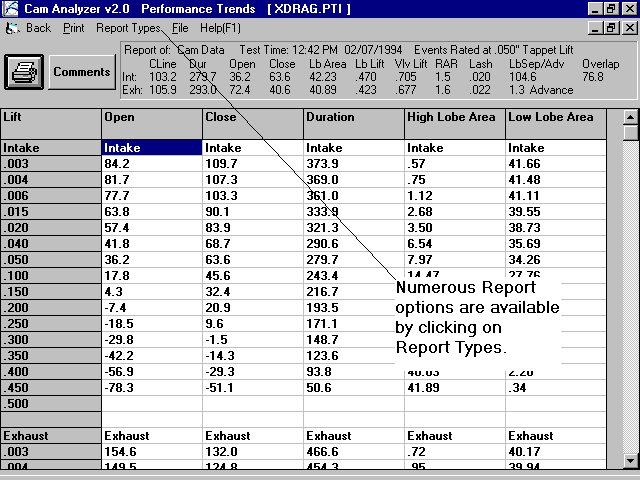
The program can show you the following data in columns of numbers in reports or in graph lines:
- Tappet (cam or follower) lift
- Tappet (cam or follower) velocity
- Tappet (cam or follower) acceleration
- Tappet (cam or follower) jerk (not accurate for data entered by hand)
- Valve lift (calculated from Rocker Ratio and Valve Lash)
- Valve velocity (calculated from rocker ratio and lash)
- Valve acceleration (calculated from rocker ratio and lash)
- Valve jerk (calculated from rocker ratio and lash, not accurate for data entered by hand)
- See Cam Grinder version below for more advanced data types for graphing.
You can select to graph or report this data in 2, 4, 5, 6, 10 or 20 crank deg increments (1, 2, 2.5, 3, 5 or 10 cam deg increments).
The program can show you the following data as single numbers.
- Centerline
- Maximum tappet or valve lift (calculated from rocker ratio and lash)
- Lobe Separation
- Overlap
- Cam Advance
- Lobe area above or below most any tappet (cam or follower) lift
- Opening and closing event and duration for most any tappet (cam or follower) lift
- Opening and closing event and duration for most any Valve lift (Plus version only)
- Asymmetry (Plus version only)
- Minimum flat tappet diameter (Plus version only)
- Base circle runout (with Electronics option only)
- 4-50, 10-50, 20-50 Intensity (difference in durations at .004, .010 and .020 and .050 inch tappet lift, Plus version only)
- Minimum Radius of Curvature (Plus version only)
- Maximum Pressure Angle +/- (Plus version, roller follower only)
- Maximum Contact Point Movement +/- (Plus version only, flat tappet only)
- Estimated Opening and Closing Lash Point (Plus version only, for profiles with a defined lash ramp. Unfortunately, some modern solid cam profiles do not have a defined lash ramp.)
- Drift Error, or how repeatable the first 40 degrees recorded agree with the last 40 degrees recorded with electronics (v4.3 B Plus version only)
The Plus version adds several features, as indicated in the list above. These features can be used on profiles other than those measured with our Cam Test Stand. For example, you can measure a cam by hand, or import a computer cam file (S96, Cam Dr, etc). Then you can convert it to the file format as if it had been measured with our electronics for the Cam Test Stand. Now you can do all the more detailed analysis of the Plus version, simulate different follower types using the Virtual Follower feature, measure Asymmetry, etc.
Plus Version's Virtual Follower Features

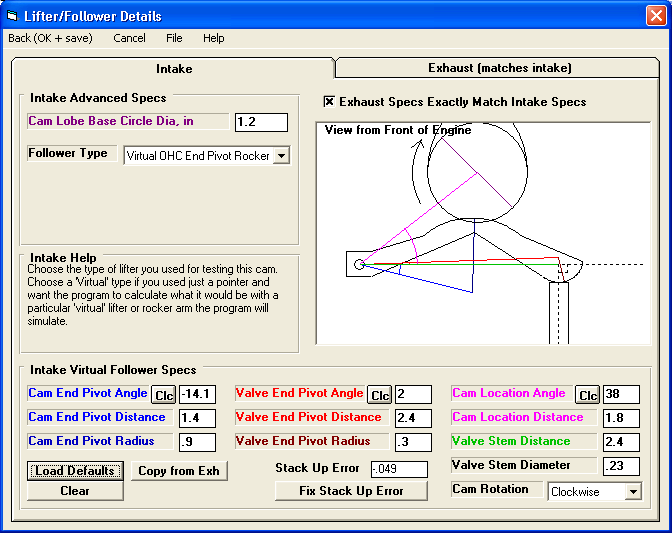 (Click on images to enlarge them)
Plus Version's Cam Card Features
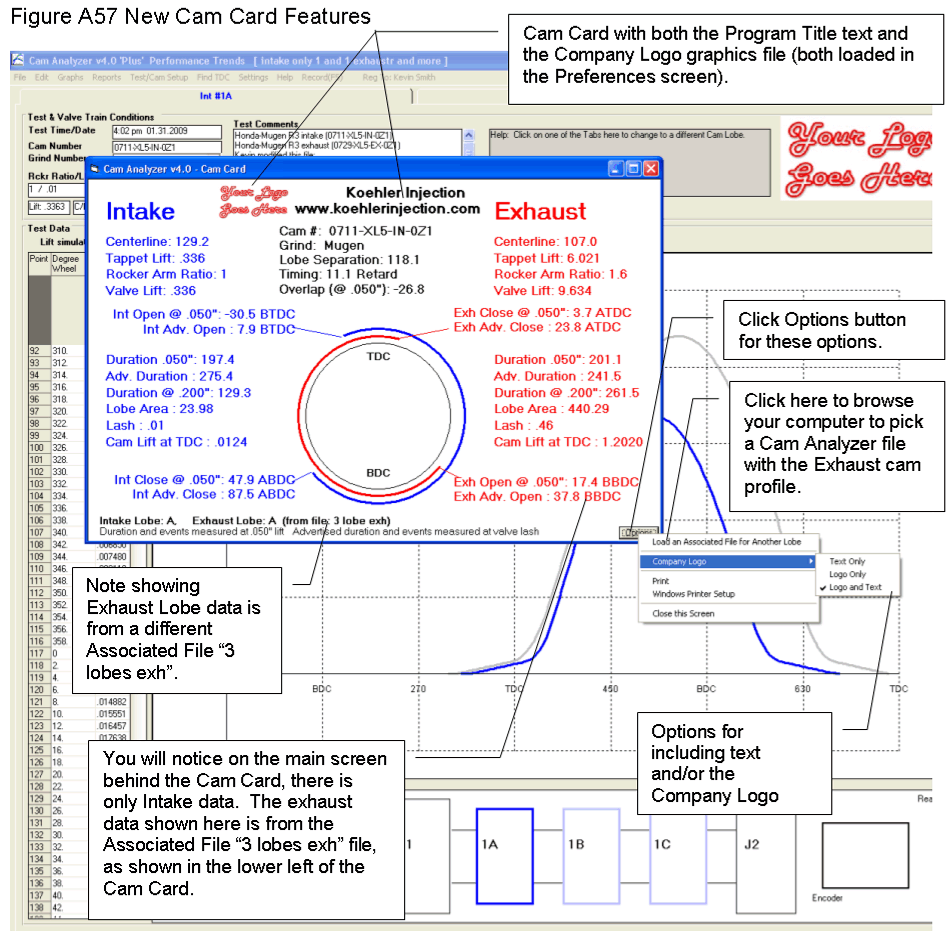 (click on image to enlarge it)
 click image to enlarge to show new v4.3B feature to swap OHC Rocker Arm Layout
for Virtual Follower
click image to enlarge to show new v4.3B feature to swap OHC Rocker Arm Layout
for Virtual Follower
 click image to enlarge to show new v4.3B report option to show TDC lift to set
cam timing in the engine
click image to enlarge to show new v4.3B report option to show TDC lift to set
cam timing in the engine
to see some of the
extra features offered by the Plus version.
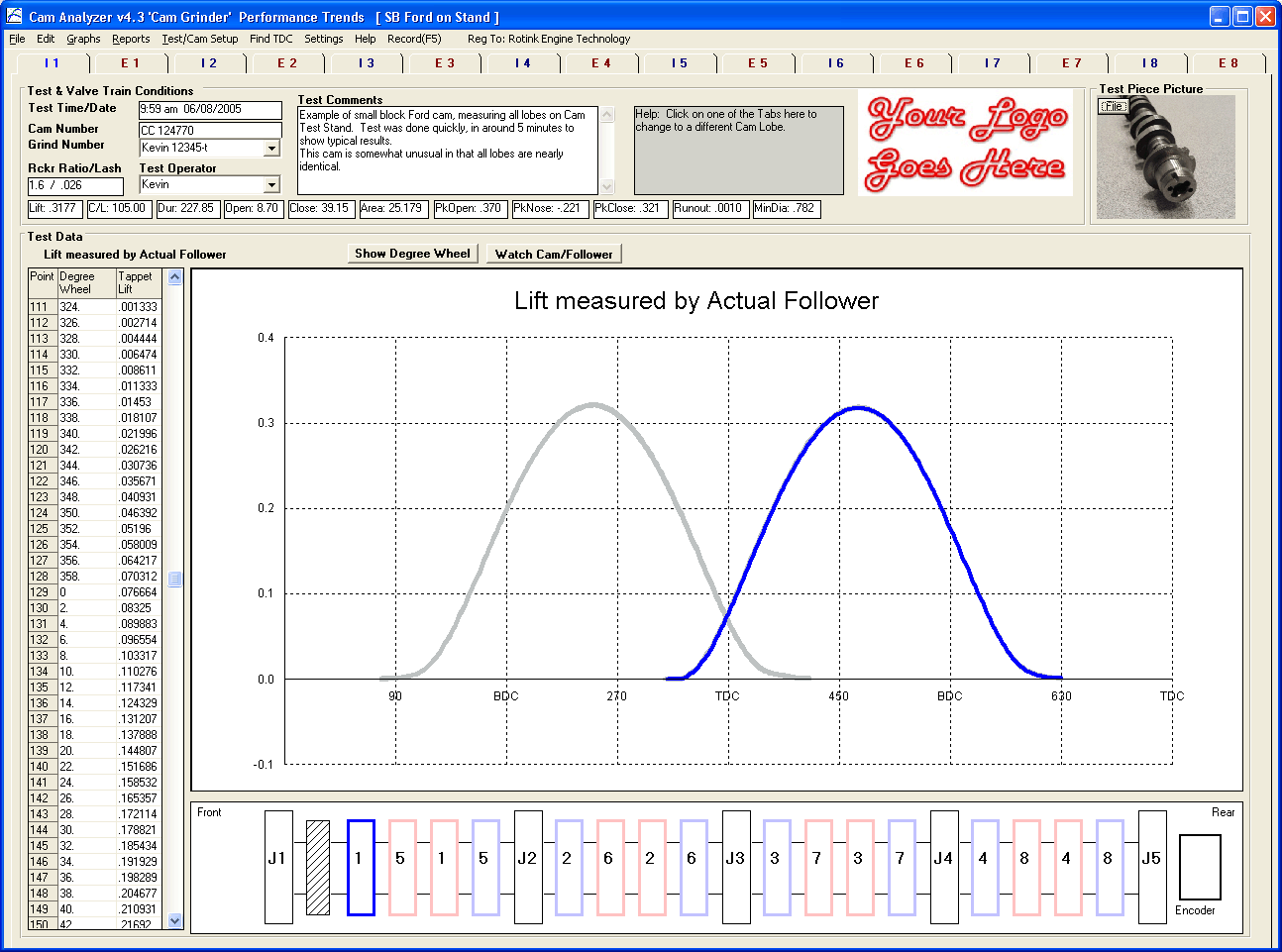
The Cam Grinder version is new for v4.3, and adds several features beyond what the Plus version does. It's features are specially designed for customers who typically grind cams or need to send files to cam grinders for special custom grinds. The Cam Grinder version also gets into more detailed analysis than the typical customer may need. This would include: display actual cam layout and actual cam lobe measurements, measure journals, plus the features listed in paragraph below.
Cam Grinder Version's Measuring Absolute
Lift, Timing and Journals
 (click on image to enlarge it)
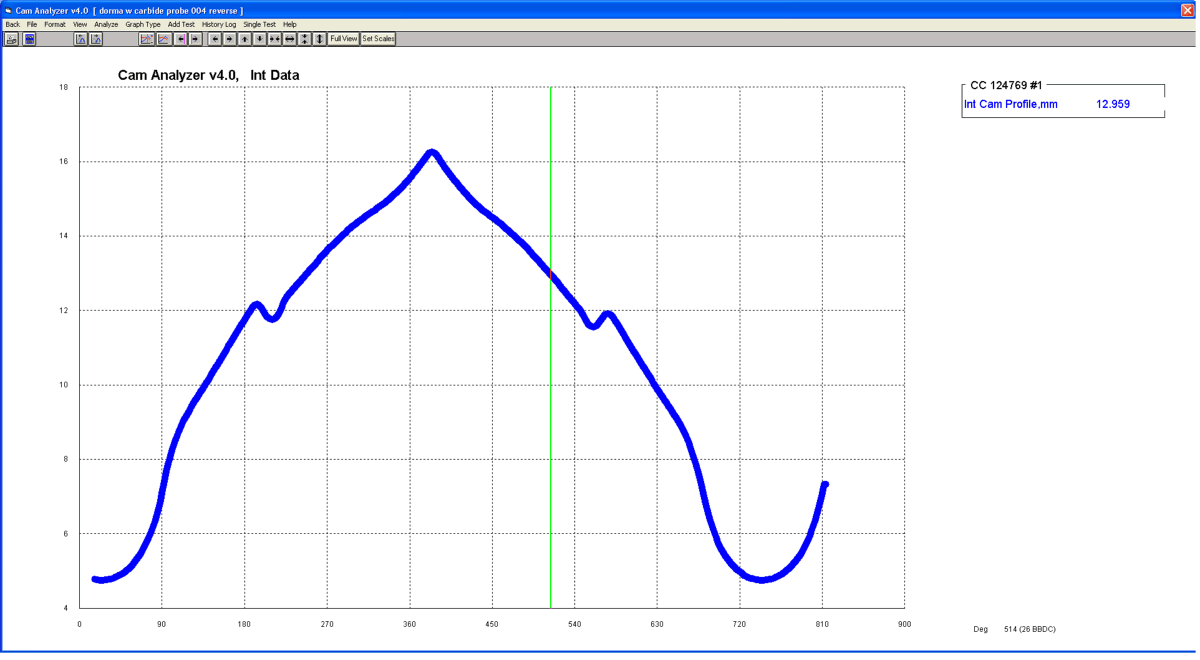
Cam Grinder Version's Graph from Importing Standard Cam Pro Plus (CPP)
Files and Graphing as Viewed from End of Cam (CTS Electronics not needed)
 (click on image to enlarge it)
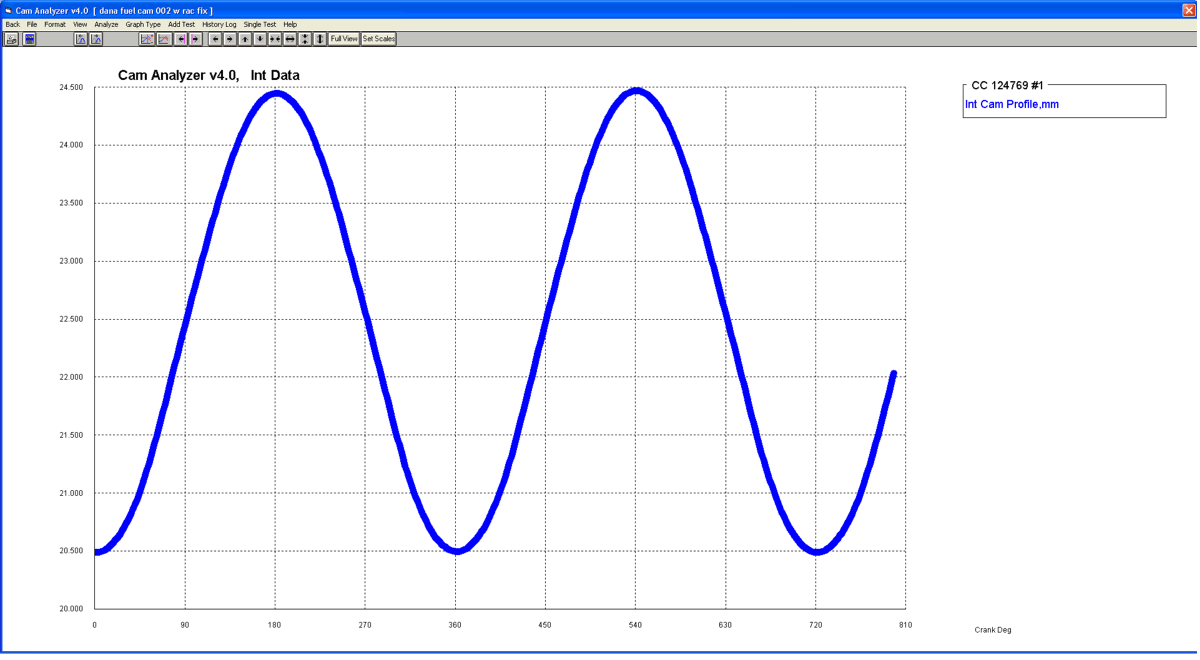
Cam Grinder's "Measure
Anything" Feature
Useful for measuring "non-automotive valve train" cams
(Cam Analyzer records 400 degrees rotation, extra 40 degrees)
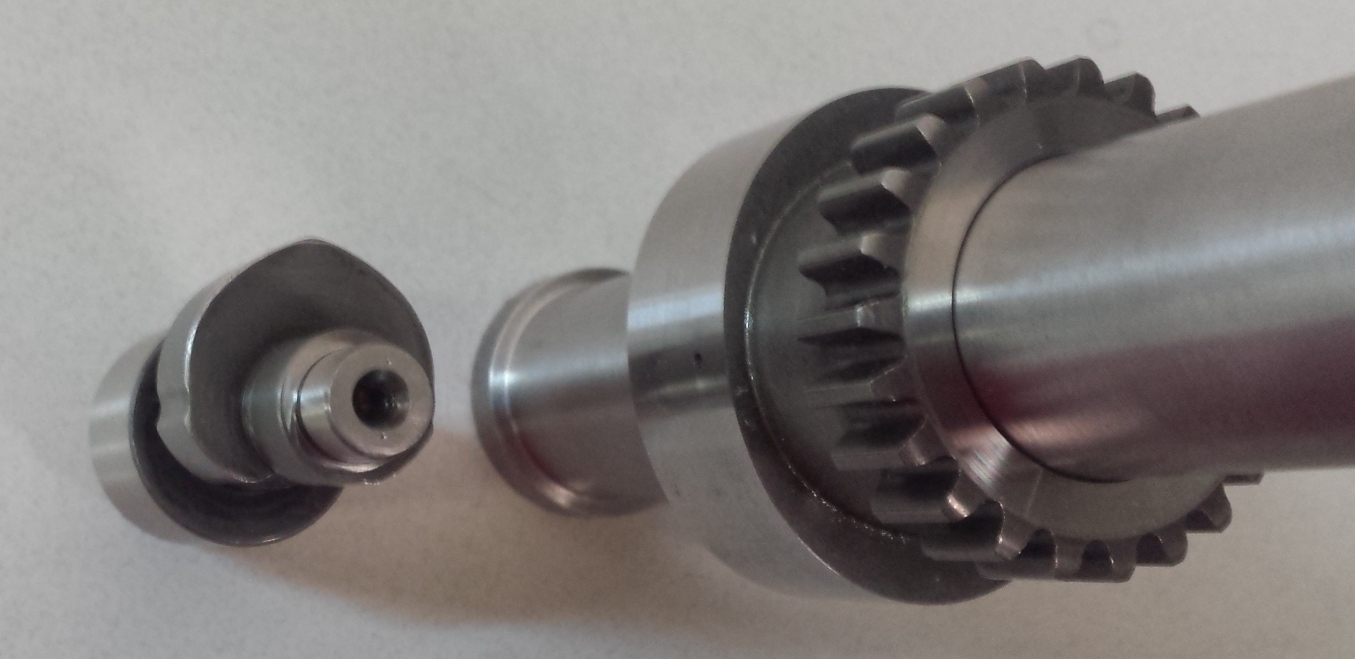 (click on image to enlarge it)
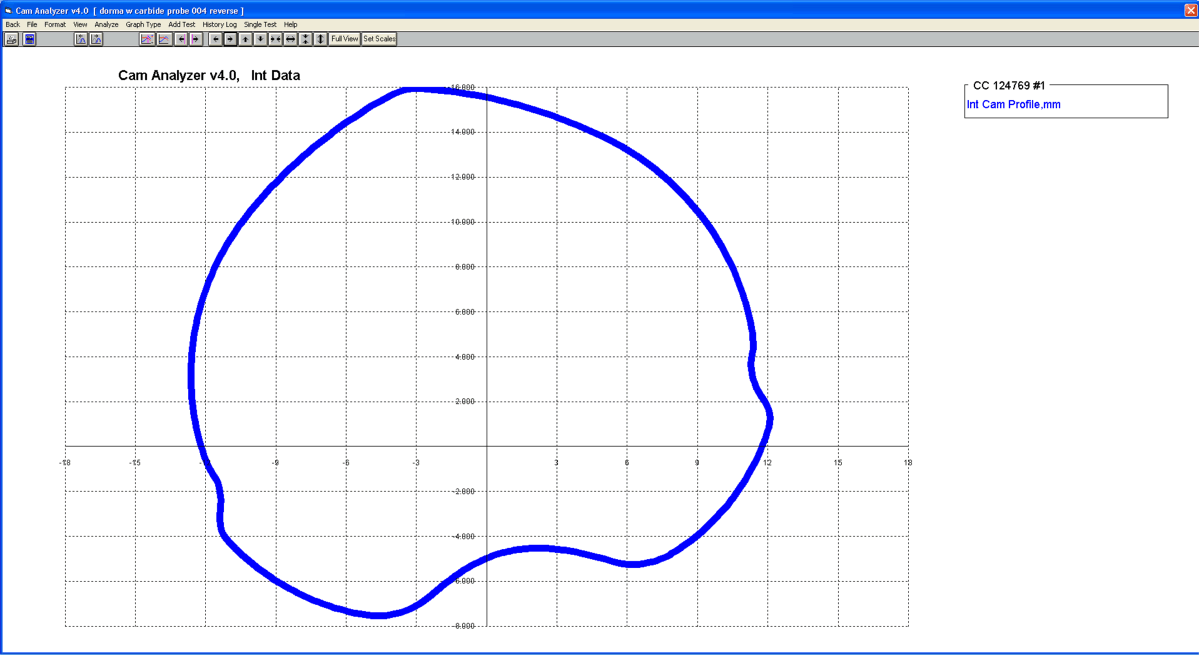 (click on image to enlarge it)
 (click on image to enlarge it)
 (click on image to enlarge it)
 (click on image to enlarge it)
 click image to enlarge to show new v4.3B feature to export .igs files
 click image to enlarge to show new v4.3B feature to do quick graph of report
data
click image to enlarge to show new v4.3B feature to do quick graph of report
data

 click images to enlarge to show new v4.3B feature to edit (stretch or shrink) a
measured lobe in just a few steps
click images to enlarge to show new v4.3B feature to edit (stretch or shrink) a
measured lobe in just a few steps
Like the Plus version, these features can be used on profiles other than those measured with our Cam Test Stand. For example, you can measure a cam by hand, or import a computer cam file (Excel .csv, S96, Cam Dr, etc). Then you can convert it to the file format as if it had been measured with our electronics for the Cam Test Stand. Now you can do all the more detailed analysis of the Cam Grinder version, graph special types of data like radius of curvature, thrust angle, etc.; export manufacturing CNC files; do frequency analysis; etc.
to see some of the extra features offered by the Cam Grinder version.
What You Need:
Computer with Windows XP, Vista, Windows 7, Windows 8, Windows 10, Windows 11.
What You Get:
Program CD with 217 page manual on CD in PDF format, and some example measured Cam Profile tests preloaded for you to start with.
More Information, Download Demo:
to go to our Demo Downloading page to download a FREE demo of this program.
to view PDF file of user manual supplement of Version 4.3's new features with Adobe Acrobat.
to view PDF file of user manual for Version 4.0 (includes v2.0, 3.2, 3.8, 4.0
and 4.3 info).
for Demo Movie files to see the software in action.
To Order:
Because of the many features in the Cam Grinder version, please contact us for ordering it to ensure you get what you need.
Cam Analyzer Standard - Our DOWNLOAD ONLY option. If you only want the unlocking code and DO NOT want a CD shipped, click on Add to Cart below. You will not be charged shipping.
 $229.95
Cam Analyzer Standard - If you want a CD shipped to you, click on Add to Cart below. There will be shipping charges added to your order. You can still download the demo and get your unlock code sooner with this option.
 $229.95 plus shipping
To order a CD of Cam Analyzer Standard with a PRINTED manual, click on Add to Cart. Manuals are included on the CD's but in PFD format. You can still download the demo and get your unlock code sooner with this option.
$264.95 plus shipping
Cam Analyzer Plus - Our DOWNLOAD ONLY option. If you only want the unlocking code and DO NOT want a CD shipped, click on Add to Cart below. You will not be charged shipping.
$499.95
Cam Analyzer Plus - If you want a CD shipped to you, click on Add to Cart below. There will be shipping charges added to your order. You can still download the demo and get your unlock code sooner with this option.
$499.95 plus shipping
To order a CD of Cam Analyzer Plus with a PRINTED manual, click on Add to Cart. Manuals are included on the CD's but in PFD format. You can still download the demo and get your unlock code sooner with this option.
$534.95 plus shipping


Call 248-473-9230. Visa and Mastercard accepted.
Click here for more price and ordering info.
Cam Measurement stand used at Guyon Race Products
sitemap